The Scribe iconDownload the studio

Start your first book.

Make your first book from your own recordings, notes or manuscript, up to 25 standard pages. Free includes about 20 minutes of transcription, manual editing and EPUB, PDF or Word downloads. No cover. No card required.

VERSION 19.1.2 · BOOK RECOVERY UPDATE

A clear path from your words to your finished book.

The Scribe 19.1.2 is available for Mac and Windows, with safer saved-book recovery, credit quotes and trial startup retries. Verify your email to make one free book from 1,200–4,000 source words, up to four chapters and 25 standard pages / 6,000 words. Review your prepared source and exact outline before writing. Your trial book has no cover; manual editing and EPUB, PDF and Word downloads are free. Covers and AI revisions require paid access. The trial may deliver a shorter draft with review notes.

See what you uploadedYour saved source opens a dashboard with word counts, readiness and a next action. Add more material when needed, or continue to Make Book.

Make the manuscript firstFollow Your words → Book details → Review chapters → My Books. Download your trial book without a cover. For a paid book, add a cover there, then download EPUB or choose PDF or Word under Other formats.

Continue saved writingIf writing stops, reopen the saved project and choose Resume writing. Completed writing is kept for recovery when available. Failed books are not charged; a delivered shorter draft is charged only for its delivered words. If the app asks for support, send its job and error details.

Follow the illustrated tutorial →

Apple Silicon

The Scribe for Apple Silicon

For Macs with an Apple M-series chip. Includes My Account, local transcription, book creation and publishing tools, plus My Journal for paid subscribers: dated memories, reminders, and phone sync.

Download for Apple Silicon →
Version 19.1.2 · Build 180 · Signed and Apple notarized
macOS 14 Sonoma or later · Apple M1 or newer
  1. Open The-Scribe-19.1.2.dmg.
  2. Drag The Scribe into Applications.
  3. Open the app. Audio transcription downloads its setup files on first launch; keep the app online while setup finishes. You can import notes or read the sample while it prepares. When updating, replace the previous app in Applications.
New · Intel download

The Scribe for Intel Mac

For Intel Macs that run macOS 14 or later. Includes the same paid My Journal feature, book workspace, and publishing tools, with Intel-compatible media helpers. Local transcription can take longer on Intel hardware.

Download for Intel Mac →
Version 19.1.2 · Build 180 · Signed and Apple notarized
macOS 14 Sonoma or later · 64-bit Intel processor
  1. Open The-Scribe-19.1.2-Intel.dmg.
  2. Drag The Scribe into Applications.
  3. Open the app. Audio transcription downloads its setup files on first launch; keep the app online while setup finishes. You can import notes or read the sample while it prepares. When updating, replace the previous app in Applications.

Choose Apple menu → About This Mac. If it says Chip: Apple M…, choose Apple Silicon. If it says Processor: Intel…, choose Intel Mac. By downloading or using The Scribe, you agree to the Terms and acknowledge the Privacy Policy.

Know what happens on first launch

Mac: allow space for first-time setupAudio transcription downloads a large model on first launch. The model uses about 3.1 GB once installed. Keep at least 8 GB of storage free for preparation, plus space for your work. Setup time depends on your connection. Keep the app open and online; use notes or the sample book while it finishes.

Windows: setup files includedThe Store download includes the local transcription tools. Install it through Microsoft Store, signing in if asked. Transcription time depends on your recording and computer; follow the progress shown in the app.

Use material you may legally useYou are responsible for permissions, consent, copyright, privacy, factual review, and everything you publish.

Mac requirements

System: macOS 14 Sonoma or later, on Apple Silicon or a 64-bit Intel Mac compatible with that macOS version.

Memory recommendation: 16 GB RAM or more for local transcription and larger projects, especially on Intel. This is a performance recommendation; a lower tested RAM minimum has not been established.

Free storage: keep at least 8 GB free to prepare the transcription model (about 3.1 GB installed), plus space for your recordings, books and exports. Optional private chat downloads about 2.5 GB more and needs additional working space.

Windows requirements

Minimum system: Windows 10 version 2004 (build 19041) or later, or Windows 11, with a 64-bit Intel or AMD processor. The Store package is x64; 32-bit Windows is not supported.

Memory recommendation: 8 GB RAM or more for everyday work; 16 GB or more for long recordings, large books or optional private chat. A lower tested RAM minimum has not been established.

Free storage recommendation: allow 5 GB or more for installation, updates and working files, plus your recordings and exports. The installed package uses about 710 MB before user data. Optional private chat downloads about 2.5 GB more.

Graphics: a dedicated graphics card is not required for Windows transcription. Performance depends on your processor and recording length.

Windows on ARM: there is no native ARM64 installer. The x64 app needs Windows 11 x64 emulation; performance and device compatibility can vary.

Connection and recording

Internet: needed for installation, account verification, purchases, book and cover generation, and phone sync. Mac transcription components download during setup; Windows transcription components are included. Audio transcription itself runs on your computer.

Recording: Live Capture needs a built-in or USB microphone and microphone permission. Importing an existing recording does not require a microphone. Optional Apple speech recognition on Mac also needs Speech Recognition permission and may use Apple’s service.

Phone companion: use an up-to-date Safari on iPhone or Chrome on Android. Microphone permission and a secure connection are required for recording; an active paid desktop plan is required to create journal entries.

Intel performance: transcription uses the available CPU/GPU. Keep the Mac connected to power and allow extra processing time for long recordings.

WINDOWS · MICROSOFT STORE

Get The Scribe for Windows.

Windows 19.1.2 is available from Microsoft Store. The free book includes manual editing and EPUB, PDF and Word downloads without a cover. Covers and AI revisions require paid access. Windows supports Amazon KDP packages for paid books: add and review a cover, then choose Download Amazon KDP package on the Make Book page. The package includes EPUB, PDF and Word manuscripts, cover files, book details and an upload checklist. You make the final publishing decision in your own KDP account.

On your Windows PC, open the Store below. If your browser asks, choose Open Microsoft Store. Then choose Get or Install and sign in if asked. Once installed, open The Scribe from Start.

Nothing opened? Open Microsoft Store from the Windows Start menu and search for The Scribe. You can also use View in browser above. If it is already installed, choose Open; for updates, go to the Store’s Library → Get updates.

Windows release status

Version 19.1.2 has passed Microsoft Store certification and is published. Microsoft signs the package distributed through the Store and provides automatic updates.

Install or update using the official Store links above.

Check Windows hardware and system requirements → · View subscription plans →

Available now: 19.1.2
x64 · Windows 10 version 2004 or later, or Windows 11
Microsoft Store distribution · Account required · Optional paid features
MY JOURNAL · PAID MEMBERS

Keep The Scribe close,
wherever your day takes you.

Use the Mac app, install the phone companion, or move between both. Sign in with the email linked to your paid Scribe plan.

On your Mac

  1. Install the Mac version above, then sign in to My Account with your checkout email to connect your paid plan.
  2. Open My Journal and choose Record my day or Write an entry.
  3. Choose Finish & save, then review the transcript.
Get the Mac app ↑
iPhone

Add it to your home screen.

  1. Open the companion in Safari on your iPhone.
  2. Open Share → Add to Home Screen.
  3. Keep Open as Web App on if offered, then tap Add.
Open iPhone companion ↗
Android

A tap away from your day.

  1. Open the companion in Chrome on your Android phone.
  2. Open the browser menu and choose Add to Home screen or Install app.
  3. Confirm, then sign in with your paid account.
Open Android companion ↗
To see your phone recording as text

Enable account sync in My Journal → Phone & Reminders on your Mac and Settings on your phone. Sync your phone, then keep My Journal open on your Mac to transcribe. Sync your phone again to see the words. Phone reminders are calendar alerts that you add and manage in your calendar.

Read the full journal guide →

The phone version is a web companion; App Store and Play Store downloads are not available. Recording needs microphone permission and a secure browser. Keep the recording screen open until you finish; sessions are capped at 15 minutes. New journal entries require an active desktop plan. The phone companion is included with paid plans. Saved entries remain accessible after your plan ends.

Help when you need it

Still need a hand?

If the guide does not solve your problem, email support for assistance. Tell us what you were trying to do and what went wrong.

[email protected]

Email supportOpen the help guide

Replies arrive by email. You can also copy the address into your webmail.

Scribe Credits · Pricing

$29 a month = one 200-page book + cover.

Each paid month brings 250 credits. Unused credits never expire. Not ready for a subscription? Credit packs start at $19 for 100 credits.

1 credit = 1 page (240 words). A cover is 50 credits. Manual editing and exporting use no credits. Paid books need a saved cover before download; the free trial book downloads without a cover. Prices are in USD before applicable tax.

Free

Try the workflow before you spend.

$0no card
  • One recording or file (about 20 minutes)
  • About 20 minutes of local transcription
  • One book from your own material, up to 25 pages / 6,000 words
  • 1,200–4,000 source words; up to four chapters
  • Verify your email; no card needed
  • No cover or AI revisions in the free trial
  • Manual edits and EPUB, PDF and Word downloads are free
Make your first book free →Send me the download link →

Check current platform availability. The trial may deliver a shorter draft with review notes.

Publisher Series

Create a series, more short books, or a longer manuscript.

$79/ month
750 Scribe Credits per paid month
  • Enough for three 200-standard-page books and covers
  • Each 200-standard-page book targets 48,000 finished words
  • Or create a longer book: up to 500 standard pages / 120,000 words
  • Includes the Publisher subscription features
  • Same book-writing tools and writing rate
  • Unused credits carry forward without expiry
Choose Publisher Series →

Renews at $79 monthly until cancelled. Requested writing revisions use the same credit balance. Remaining credits stay usable after cancellation.

One-time packs

Extra credits, whenever you need them.

No subscription required for a one-time pack. Credits never expire.

Extra Scribe Credits · USD
CreditsOne-time price
100$19
250$39
500$75
1,000$145
Buy extra credits →

250 credits · $39 · 500 credits · $75 · 1,000 credits · $145

If your balance is too low, the app opens Buy Scribe Credits and keeps your project saved. Buying credits does not automatically start generation.

Writing + cover

See the words behind the pages.

One standard page targets 240 finished words. One credit covers 240 completed words; one generated cover direction uses 50 credits.

Examples before any requested writing revisions
Standard pagesFinished wordsCredits for pages and one cover
5012,000100 credits
10024,000150 credits
20048,000250 credits
30072,000350 credits
500120,000550 credits

These are standard manuscript pages. Physical print pages depend on the final PDF layout. The in-app planner shows the minimum source words for every page count and editorial choice.

See the source-word requirements →

What could you make?

Writing examples; revisions use additional credits
BookPagesCreditsStarting option
Short guide, devotional or prayer book5050 + 50 cover$19 pack
Course or training manual120120 + 50 coverPublisher · $29/month
Nonfiction or memoir200200 + 50 coverPublisher · $29/month
Long novel or textbook400400 + 50 coverPublisher Series · $79/month

Page examples use 240 words per page; printed page counts depend on your layout.

You’re never charged for a failed book. Open the same project and choose Resume writing to continue saved work.

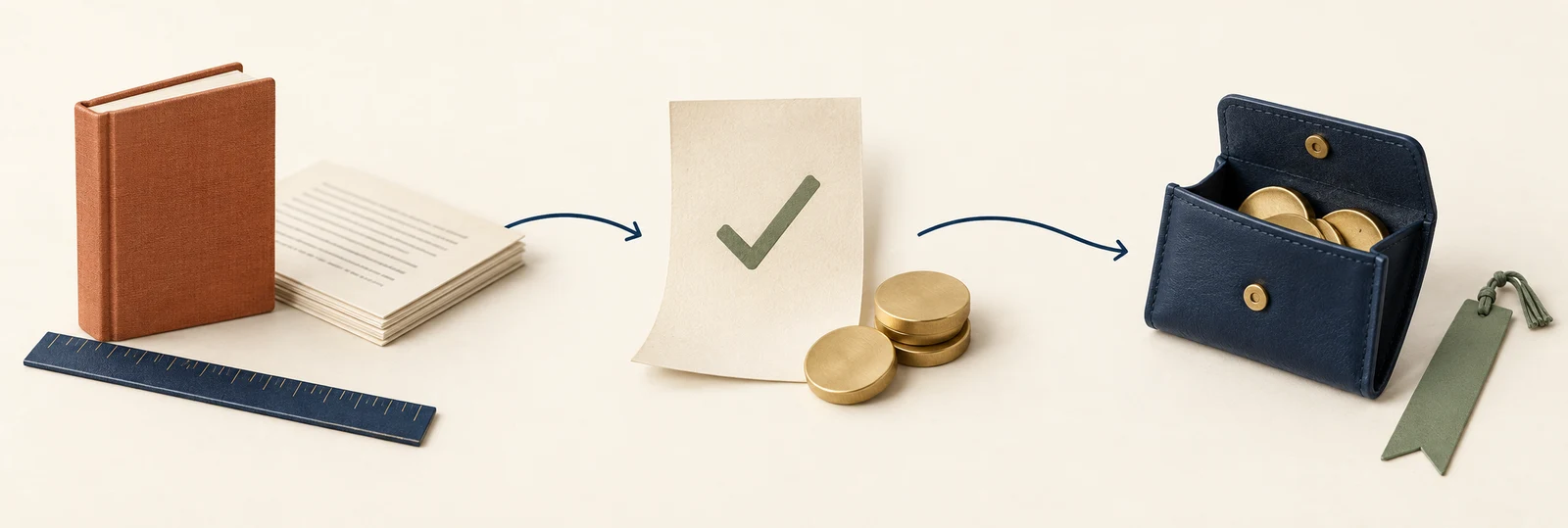
Illustration of a manuscript, an approved quote and a credit wallet
Plan your book. Approve the quote. Keep unused credits.

Before generationReview the maximum quote. The app holds the quoted credits while writing.

When your book is deliveredYou pay for the words delivered, up to the quote you approved. Unused credits stay in your balance.

As you reviseManual editing is free. Requested writing revisions use credits; a new generated cover direction uses another 50. System failures and automatic repairs add no credit charge.

Referrals use Scribe Credits too.

Invite a friend. When their first subscription payment is approved after 30 days, you get 50 credits and they get 25. Free signups and credit packs do not qualify. Read the invitation rules →

Already subscribed? Your original plan and earned benefits keep their purchased terms. Manage your current subscription in My Account before choosing another monthly plan. Prices are in USD, before applicable tax. Credit terms · Privacy